Author: usingwin_agent

  • Self-Checkout Shrink Is Reshaping the Buyers’ Spec: AI + Cash Recycling

    Self-Checkout Shrink Is Reshaping the Buyers’ Spec: AI + Cash Recycling

    Self-Checkout Shrink: Why Buyers Now Specify AI Monitoring + a Cash Recycler

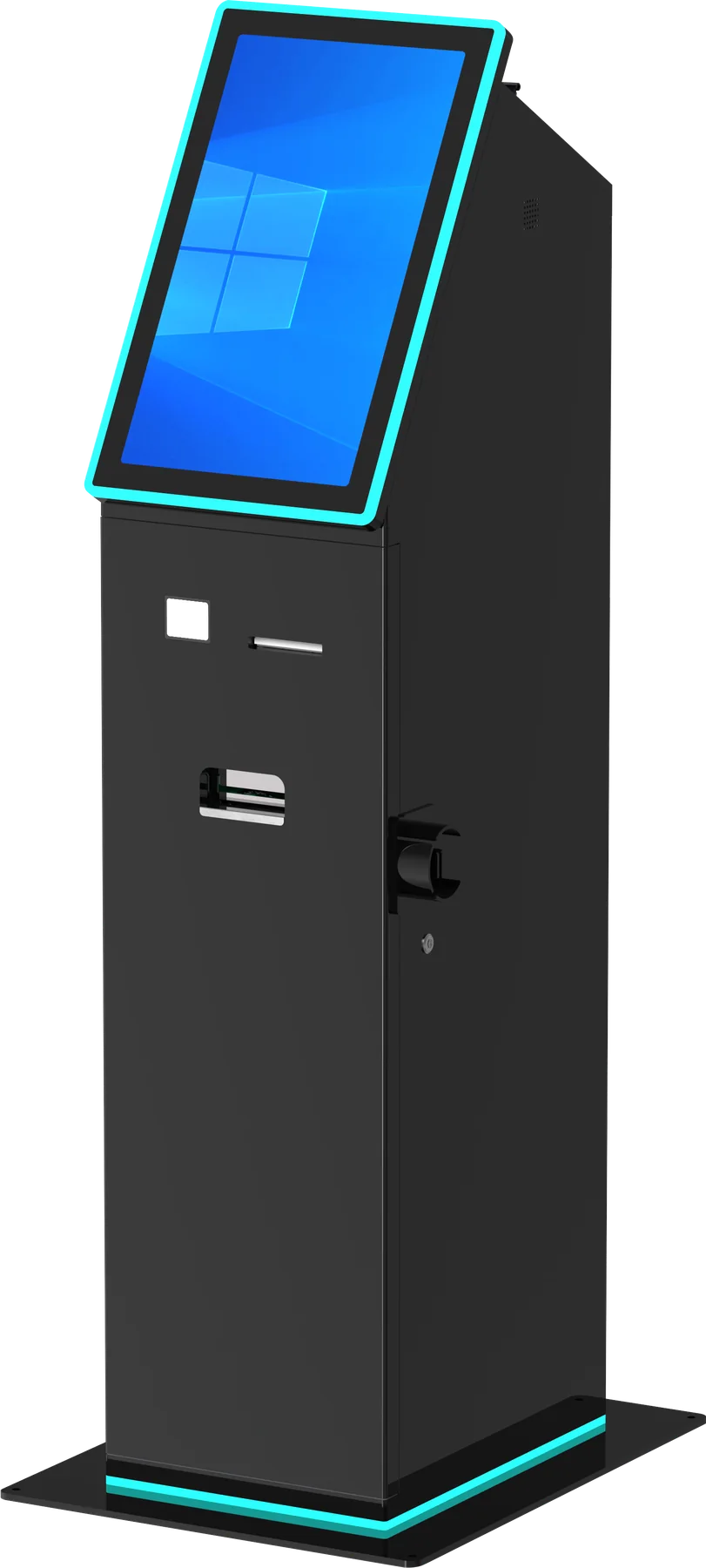
    US retail shrink climbed to a decade-high in FY2022 — the National Retail Federation’s annual retail security survey put average shrink at 1.6% of revenue, roughly $112 billion in industry losses, up from 1.4% the prior year — and the debate over self-checkout as a leakage point has only intensified since. The market response is not to tear self-checkout out. For OEM and ODM buyers, the shift is to self-service lanes that pair AI-assisted loss prevention with a cash-recycling closed loop, so an unattended lane guards both the goods and the cash. If you are specifying a kiosk or cash lane for a retail rollout, the purchase decision now turns on two modules — AI-ready monitoring and a cash recycler — not just a scanner and a printer.

    Why pure self-checkout is retreating — and what is replacing it

    Retail shrink — inventory lost to theft, error and fraud — is tracked in the National Retail Federation’s annual retail security survey. Its most recent published survey, for FY2022, put average shrink at 1.6% of revenue — about $112.1 billion in losses, up from 1.4% in FY2021 and the highest rate in over a decade (the NRF has since shifted its reporting methodology and did not publish an annual shrink survey in 2024). Self-checkout lanes were frequently singled out as a leakage point. Retailers responded two opposite ways: a minority removed self-checkout entirely, while the larger trend is to keep unattended lanes but harden them.

    The replacement architecture combines computer-vision monitoring to catch scan-skip and non-payment with cash recycling, so the lane can accept and dispense currency without exposing a till to theft. For a hardware OEM/ODM buyer, the practical reading is that “self-checkout is dying” is the wrong frame. The self-service lane format is being redesigned, and that redesign is precisely what opens a new specification window for your project.

    What the shrink-driven redesign means for your spec sheet

    If you are commissioning a kiosk for a retail chain, describe the loss-prevention model before you pick the cabinet. A lane that relies only on an attendant watching a bank of screens has different hardware needs than one that runs AI-assisted scan verification with a cash recycler. The table below maps each sourcing decision to what you should specify and the evidence you should request.

    Sourcing decision What to specify Evidence to request
    Monitoring Whether the kiosk carries its own vision hardware or relies on the store CCTV system. Test scan-skip detection with representative real-world products, not only clean barcodes.
    Cash handling A cash acceptor only, or a full recycler that accepts and dispenses for change. Demonstrate note validation, counterfeit rejection and the change-dispensing loop under load.
    Exception flow Which events need staff intervention and how the attendant is alerted. Recover a blocked or flagged transaction without losing the customer basket.
    Integration How loss-prevention and store systems connect to the kiosk hardware. Confirm the hardware supplier’s scope stops at defined interfaces, not retail software.

    Cash recycling closes the loop AI monitoring opens

    The second half of the shrink story is cash. A cash-accepting self-checkout lane becomes its own target if notes sit in an unsecured acceptor. A cash recycler validates, stores and reuses notes for change, which removes the manual till, cuts cash-handling labor per shift and reduces the cash shrink that comes from miscounts and internal theft. Industry analysis of cash-handling equipment and smart-safe cash management shows sustained growth.

    Cash acceptance is also staying alive by regulation, not just habit. The European Central Bank and several national authorities, including Sweden’s Riksbank, are pushing retailers to keep accepting cash even as digital payments grow — which keeps the cash-acceptance requirement on your spec for the life of the lane. For an OEM buyer the consequence is a spec decision: a one-way cash deposit machine suits a lane that only takes payments, while a recycler adds the closed loop that unattended retail increasingly needs. Matching the module to the actual cash flow keeps you from overpaying for recycler hardware on a lane that never gives change.

    Frequently asked procurement questions

    Does a self-checkout cabinet include AI loss-prevention software?

    Only when that scope is explicit. Separate the enclosure and peripherals from the vision software, the store integration and the attendant workflow. Confirm in the quotation whether the hardware supplier delivers an AI-ready platform or a finished loss-prevention application.

    Why add a cash recycler instead of a simple cash acceptor?

    A recycler validates, stores and reuses notes to give change, which is what a two-way cash lane needs. A one-way acceptor is cheaper but only collects payment; if your lane must return change in cash, specify the recycler loop and test it under real transaction load.

    Is self-checkout actually being removed by retailers?

    A small number of stores removed lanes, but the dominant industry response is to harden self-service with AI-assisted monitoring and cash-recycling closed loops. The format is being redesigned, not abandoned — and that redesign is the current buying window for new hardware.

    Related hardware planning resources

    These planning pages walk through the companion hardware decisions behind this spec:

    Shrink figures reference the National Retail Federation’s National Retail Security Survey; market-growth figures are high-level directional estimates from market analyses, not audited numbers. Confirm your exact lane configuration, software scope, compliance evidence and acceptance criteria in the project quotation before committing to a rollout.
  • Kiosk OEM Sampling & Lead Time: A Timeline Buyers Can Enforce (Not Get Dragged Around By)

    Kiosk OEM Sampling & Lead Time: A Timeline Buyers Can Enforce (Not Get Dragged Around By)

    Kiosk OEM Sampling & Lead Time: a timeline you can enforce

    For a custom cash-handling or self-service kiosk, sampling is where projects get dragged from weeks into quarters. If you are an OEM/ODM buyer, the fastest way to lose control is to accept a factory’s loose “we’ll keep you posted on samples” promise. A disciplined, milestone-based sampling timeline — engineering sample → revised sample → pre-production/pilot → mass production — is what separates a 9-week project from a 9-month one. This guide gives you a realistic schedule, the risks that blow it up, and the contract language that keeps the factory honest. The single most reliable predictor of a good OEM is whether they will commit every milestone to a dated, written gate before you sign.

    Why sampling, not tooling, decides your total time

    Most buyers wrongly assume the mold is the long pole. In practice the schedule risk lives in the sampling loop: each round of engineering changes consumes weeks, and an unprepared factory burns two or three rounds where a disciplined one needs one. Because the kiosk and cash-recycling market is growing fast — cash-recycling machines alone are tracking a ~14.5% compound annual growth rate — capable OEM slots are tightening, which makes a clear sampling contract your real leverage. A shorter quoted timeline is not automatically a better one: on a bespoke machine, it often means the supplier is planning to ship an off-the-shelf design under your brand rather than build yours.

    The realistic milestone timeline

    Here is a schedule an experienced OEM/ODM partner can meet for a moderately customized cash-handling kiosk, assuming requirements are frozen at kickoff. Treat each milestone as a hard gate with a go/no-go, not a courtesy update. If a supplier cannot or will not name a date and an owner for each row below, treat that as a red flag before you commit engineering budget.

    Phase Typical duration Gate / what must be signed off
    1. DFM & engineering sample (prototype) 2–3 weeks Mechanical fit, bill of materials, spec compliance confirmed
    2. Revised / functional sample 2–3 weeks Electronics, firmware, cash validator & recycler behavior verified
    3. Pre-production / pilot run 2–3 weeks Certification samples pulled, test yield & QC passed
    4. Mass production & first shipment 3–4 weeks MOQ met, inspection passed, shipping scheduled

    That totals roughly 9–13 weeks for a moderately customized unit. Treat the range honestly: card/QR-only builds land near the 9-week end, while a machine with a cash validator plus a recycling cassette realistically needs 11–13 weeks because it carries an extra integration round and sub-supplier lead time. Any supplier quoting a dramatically shorter window on a bespoke, cash-handling machine should be asked how — short timelines usually mean they are pushing an off-the-shelf design rather than actually developing yours, which matters if differentiation is the point.

    What actually blows up the schedule — and how to prevent it

    Unfrozen or creeping requirements

    Every specification change after DFM restarts part of the loop, and most projects accumulate several. Lock your requirements — bill acceptor currency set, note denominations, recycler cassette sizes, OS, network, certification targets — at kickoff, and put change-control in writing so every post-DFM edit is a priced, dated decision instead of a silent schedule slip. A useful discipline is a single named approver per requirement change; two parties “agreeing informally” on scope is how a 9-week project quietly becomes 14.

    The cash-validator and recycler sub-supply chain

    Cash modules come from specialist sub-suppliers with their own lead times, so their availability sits on the critical path. Confirm with the OEM which validator and recycler modules are actually in stock or firmly reserved before you approve the engineering sample, and ask for the sub-supplier lead time in writing. This is the single most common hidden cause of “your sample is late.” Ask for two written commitments: which model is reserved, and the sub-supplier’s confirmed lead time in weeks. If either is vague, the module — not the OEM’s machining — is what will delay you.

    Certification scheduled too late

    CE, UL, FCC and — increasingly for cash-acceptance hardware — EU cash-related compliance are tested on the pre-production sample, not the prototype. If certification samples are only pulled at mass production, any failure means a full re-spin. Budget certification as a named milestone in phase 3, not an afterthought. See our payment kiosk cash integration guide for how spec decisions upstream affect what must be certified. If your target market is the EU or UK, plan the compliance review into the spec from day one rather than treating it as a last-mile test.

    Communication lag, not manufacturing lag

    Many delays are actually review lag on your side or slow feedback from the factory. Contract a maximum response time for sample feedback (e.g., 48–72 hours per review round) so neither side can quietly stall the loop. Name a single technical owner on each side and require every feedback email to carry a dated, numbered finding; untracked verbal feedback is where sampling loops stall and neither party can later prove who caused the delay.

    The difference between a self-service and a cash-recycling sample

    If your project only takes a card or QR payment, the sample loop is shorter because there is no cash transport to integrate — expect roughly one round less and a total nearer 9 weeks. The moment you add a cash validator, a deposit module, or a full recycling cassette layout, you add firmware and sub-supplier dependencies that realistically add one full sampling round and roughly two weeks to the critical path. Budget for it instead of being surprised by it: state the cash-handling scope explicitly in the RFQ so the quoted timeline already includes that extra round.

    Contract language that keeps the factory honest

    Put four things in your sampling agreement: (1) named milestones with dates and a go/no-go gate at each; (2) a defined number of included sample revision rounds, with additional rounds priced; (3) a firm written lead time for cash-module sub-suppliers; and (4) a maximum feedback-time commitment on both sides. These four clauses turn an informal promise into a schedule both parties can audit, and they make the conversation about accountability instead of blame when a delay happens. This is how you avoid the two worst outcomes — an OEM that drags you for months on endless “revisions,” and your own team becoming the bottleneck.

    FAQ

    How long should an engineering sample for a custom kiosk take?

    For a moderately customized unit with cash handling, plan 2–3 weeks for the first engineering sample after DFM, plus 2–3 weeks per revision round and another 2–3 weeks for the pre-production pilot. Total end-to-end sampling is realistically 6–9 weeks before mass production begins, and 9–13 weeks to first shipment. A card-only build sits at the short end; adding a cash recycler typically adds one full round.

    Why is my OEM’s sample always late?

    The most common hidden cause is cash-module sub-supplier lead time sitting on the critical path unstated, followed by scope creep after DFM. Confirm in writing which validator/recycler modules are reserved and the sub-supplier lead time, and lock your requirements at kickoff. Delays are more often unstated dependencies than slow machining.

    Can I get mass production without a pre-production sample?

    You can, but you should not. Certification samples and QC/yield testing depend on the pilot run. Skipping it moves all risk — including certification failure — into mass production, where a re-spin is far more expensive and slower to fix. On regulated cash-acceptance hardware, the pre-production sample is effectively your last free chance to catch a defect before it is multiplied across a full production batch.

    Next step

    Bring a frozen requirements list and ask any shortlisted OEM for a dated, milestone-based sampling timeline in writing — then hold them to it. A supplier who will commit each of the four milestones above to a date and an owner is signalling a realistic, disciplined build; one who only promises “we’ll keep you posted” is signalling the opposite. If you want to pressure-test your spec against a realistic schedule before you send an RFQ, request a quote or a sample plan from our engineering team.

  • Cash Recycling vs. Cash Deposit Machine: What B2B Buyers Should Specify for an OEM

    Cash Recycling vs. Cash Deposit Machine: What B2B Buyers Should Specify for an OEM

    Cash Recycler vs. Cash Deposit Machine: What OEM Buyers Must Specify

    Short answer for buyers: A cash deposit machine (CDM) only accepts and validates notes into a single safe — it does not give change back. A cash recycler closes the loop: it validates incoming notes, stores them, and recycles the same notes as change for withdrawals. For high-volume cash operations where customers pay AND receive cash in the same shift, a recycler cuts daily cash-handling labor by 30–120 minutes per store and typically pays back in 12–24 months. Your OEM spec sheet, not the machine’s brand, decides which one you actually need.

    Why this decision matters more than it used to

    Cash is not dying — it is being re-engineered. The cash-recycling hardware market is growing at roughly 14.5% CAGR, and the intelligent-safes cash-management segment is projected to rise from about $32.1B in 2025 to nearly $63B by 2033. Retailers, banks, casinos, fuel stations, and unattended kiosk operators are all being pushed toward closed-loop cash by two forces at once: labor costs per cash-handling minute are climbing, and European regulators are actively legislating that cash remain accepted everywhere. This is not a marginal efficiency trend — the European Central Bank and the Swedish Riksbank both frame physical cash as a protected, ongoing part of the payments mix rather than something being phased out.

    For a B2B buyer sourcing through an OEM/ODM, the wrong choice between a CDM and a recycler is not a small spec error — it is a multi-year hardware commitment you cannot quietly reverse once branded, certified, and deployed in the field.

    The core difference: does it give change back?

    Everything else on the spec sheet follows from one question: in normal operation, does the machine hand cash back to a customer? A CDM is a one-directional intake vault. A recycler stores and then dispenses the same validated notes, which changes how many cassettes you need, how often a CIT truck visits, and how much of your staff’s day goes to ferrying cash to a back-office safe. The table below captures the practical specification differences.

    Spec / Behavior Cash Deposit Machine (CDM) Cash Recycler (CRS)
    Core job Accept + validate + store cash Accept, validate, store, AND dispense the same cash as change
    Gives change back No — one-directional intake Yes — closed-loop
    Note denominations Typically 1–2 note cassettes (intake) Multiple cassettes, mixed denomination management
    Coin handling Usually none Optional coin recycler / dispenser module
    Recirculation None Same physical notes returned as change
    Refill frequency High (safe fills fast, no change source) Low — fewer CIT pickups per week
    Upfront cost Lower Higher (30–60% more hardware)
    Best fit Collection points: ATMs, night depots, drop safes Point-of-sale & attended/unattended retail: checkout, fuel, casino cages

    Match the machine to the cash-flow shape of YOUR operation

    The single best test is: in one shift, does cash flow in and back out again? Answering that cleanly usually settles the CDM-versus-recycler question before you ever compare cassette counts or prices.

    Choose a CDM when the money only goes one way

    Pick a deposit machine for collection and deposit points where staff place takings into a safe but never hand change back to customers — for example ATM cash-in, night-drop safes, and back-office deposit terminals. This profile is defined by lower transaction frequency with denser value per transaction: money arrives in batches and is secured, rather than circulating through a till during the shift.

    Choose a cash recycler when cash flows both ways

    Choose a recycler wherever customers both pay and receive change in the same shift: retail and self-checkout lanes, fuel stations, convenience stores, casinos, and high-traffic unattended retail. The decisive signal is whether staff currently walk to a back safe to restock the till several times a day — a recycler removes that round trip by keeping validated change on-site, which is why the cash-integration decisions made at cabinet level tend to determine how much of that labor you can actually eliminate.

    Independent of which you pick, the operational payoff of recycling is concrete: industry analysis puts the labor saved at roughly 30 to 120 minutes of cash handling per store per day — time staff currently spend counting, reconciling, and ferrying cash between till and safe.

    Regulatory pressure is changing the default spec

    European cash-protection momentum is making “does it accept and return cash” a compliance question, not just an efficiency one. The EU has moved toward requiring retailers to accept cash at face value, and Sweden’s cash-access law is already on the books. Add the digital-euro framework, which is explicitly positioned by the European Central Bank as a complement to — not a replacement for — physical cash. The practical implication for an OEM buyer: hardware ordered today should plan for a 2030 cash environment where acceptance is legally protected, not for a cashless one.

    What to put on your OEM specification sheet

    When you brief an OEM, the brand of the recycler module matters less than whether the spec forces the right decisions. Insist on getting these answered in writing:

    • Denomination architecture: how many note cassettes, which currencies, and does it physically recycle or just store-and-return?
    • Note validator spec: counterfeit-rejection rate and note-condition tolerance (folded, worn, taped) for your real market mix.
    • Fitness-for-purpose: indoor vs outdoor rating (IP), operating temperature range, and MTBF on the note path.
    • Certifications for your target market: CE / UL / FCC / national cash-machine standards — do not assume one cert covers your export market.
    • Connectivity: offline fallback, audit reporting, remote monitoring APIs, and how reconciliation data is exported.
    • Lifecycle & spares: sensor/roller service life, MTTR, spare-parts availability, and firmware update commitment over the machine’s life.
    • MOQ & lead time: minimum order, NRE/customization costs, and how long a certification re-run adds.

    De-risk before you commit

    Because this is a branded, certified, long-life asset, the risk is not the machine — it is locking the wrong spec early. De-risk by: validating with a physical sample or engineering unit before full production, insisting on a spec sheet that names exact validator and cassette models rather than marketing phrases, and confirming the OEM’s certification roadmap covers your target export markets, not just the OEM’s home market. If your use case is a high-visibility, high-traffic deployment, the same discipline that applies to a curved cash-handling kiosk applies here: ask the vendor the questions that expose hidden compliance and lifecycle cost, not the ones that flatter the brochure.

    FAQ

    Can a cash deposit machine and a cash recycler use the same note validator?

    Often yes — many OEM builds pair a shared validator platform and only differ on the storage-and-dispense module. The recycler adds a dispense path and extra cassettes, so the cabinet, firmware and security certification change even if the validator head is identical. Confirm both the validator and the dispensing transport on your spec sheet rather than assuming one model covers both jobs.

    Does recycling the same notes back to customers create a counterfeiting or fitness risk?

    A properly specified recycler validates notes on the way in and rejects unfit or suspect notes to a separate cassette, so only validated, fit notes recirculate. The real risk is under-specifying the note-condition tolerance for your market’s worn or taped notes — that is what drives jams and accept-rate complaints, not the recycling concept itself.

    I only take cash in — is a recycler ever worth the extra 30–60%?

    Generally no. If your operation is one-directional intake with no in-shift payouts, a CDM at lower upfront cost is the right economic call. Consider a recycler only when you would otherwise send staff to a back safe to restock change, because that recurring labor is where the 30–120 minutes per day gets recovered.

    Next step

    Whether your cash flow is one-way or closed-loop, the right answer is a specification discussion, not a brochure comparison. Request a cash-handling spec consultation and datasheets — tell us your transaction shape, target markets, and volume, and we will map the correct cassette and recycler architecture for an OEM build.

  • Casino Kiosk Procurement: Why Hardware Is 57% of the Cost — and How to Budget the Replacement

    Casino Kiosk Procurement: Why Hardware Is 57% of the Cost — and How to Budget the Replacement

    Casino self-service kiosks were among the first and largest self-service deployments anywhere — but most of the installed base is aging into a replacement window, and hardware still absorbs roughly 57% of a kiosk project’s cost (a 57.02% hardware share of the self-service kiosk market in 2025, per Mordor Intelligence). That split means the buying decision is dominated by one question most casino procurement teams answer badly: are you buying a machine, or are you buying a five-year cost and risk profile? The short answer: if you source directly from an OEM and model total cost of ownership (TCO) rather than sticker price, you typically pay less upfront, get the cash module configured to your exact validator and currency needs, and remove the brand integrator’s markup — provided you are willing to own integration and compliance verification yourself.

    Why the Casino Installed Base Is Entering a Replacement Window

    Gaming and entertainment venues scaled kiosks for ticketing, redemption and cash long before retail and hospitality — which is exactly why the fleet is now old. Ticket-in/ticket-out (TITO) has become the dominant way players move value on a floor (TITO modules held a 73.80% share of the slot machine market in 2025, per Mordor Intelligence), and the machines that first supported it are now several years past their reliable service life. Bill validators, ticket printers and touch panels wear out fastest; on a 24/7 floor they fail not with a warning but at the moment a player is mid-transaction.

    Three drivers converge on the same conclusion: the next 12–24 months are the cheapest window to replace.

    • Aging hardware raises opex silently. An old validator accepts fewer note conditions, jams more often, and its service contract gets more expensive every renewal year. Each dark unit on a busy floor is lost throughput and player friction.
    • TITO is now the floor standard, so the marginal cost of new ticketing-capable hardware is falling while the cost of maintaining pre-TITO or semi-integrated legacy units rises.
    • Compliance expectations tightened. Regulators treat TITO redemption and cash handling as AML-sensitive; older equipment without audit-ready logging forces manual export and manual risk.

    For a deeper look at the specific verification checks that apply to a cash-and-ticketing machine on a regulated floor, our existing cash handling kiosk vendor questions guide walks through compliance, TITO integration and lifecycle checks in detail.

    Hardware Is ~57% of the Cost — Here Is Where the Money Actually Goes

    When a self-service kiosk project is budgeted, roughly 57% of spend lands on hardware and the balance on software, integration, deployment and services. Most casino buyers accept this split without questioning whether they are overpaying for the hardware layer. The realistic cost drivers, in order:

    1. The cash/ticketing module cluster — bill validator, coin and ticket handling, plus the secure cassettes. This is the most expensive subsystem and the one that determines acceptance rate, reliability and compliance.
    2. The enclosure and touch display — form factor, ingress protection, and the screen’s brightness/antiglare spec for high-ceiling floor lighting.
    3. The compute and software shell — the PC, OS and the kiosk application. Smaller on hardware value but where hidden middleware fees hide.
    4. Integration, compliance and deployment labor — frequently the line item where brand-integrator quotes inflate the total. Because it sits outside the hardware quote, buyers rarely benchmark it; ask for it itemized separately so you can see what a turnkey integrator charges versus what it costs to own yourself.

    The strategic consequence: a 5–10% saving on the hardware layer is worth more than a 20% discount on software, because hardware is the larger denominator. That is the argument for pressuring the equipment cost specifically.

    OEM-Direct vs. Buying Through a Brand Integrator

    Most casino floors buy kiosks through a brand integrator that wraps hardware in its own software and services. That model has real value when you want a turnkey, single-vendor product — but it also stacks margin at every layer. Sourcing directly from an OEM/ODM manufacturer changes the economics and shifts work back to you. Which model fits depends on your in-house engineering and compliance capacity.

    Decision factor OEM / ODM direct Brand integrator
    Unit hardware cost Lower — no integrator markup on the machine Higher — bundles margin across hardware + software
    Cash module configurability Choose validator, firmware and currency types for your floor Limited to the integrator’s stocked configuration
    Integration work You own TITO/slot-accounting integration or contract it Included in the turnkey scope
    Compliance verification You request certificates and references directly Provided (verify it, don’t assume it)
    Branding / enclosure customization Full OEM/ODM branding and form-factor control Limited to the integrator’s design
    Spares and service ownership You manage spares and the SLA with the OEM Single vendor handles it
    Best when… You have an integration/compliance team and buy at volume You need a managed, single-contract rollout

    If you need floor-specific modifications rather than an off-the-shelf unit, our custom kiosk OEM/ODM process explains how a procurement brief moves from specification to production.

    How to Run the 5-Year TCO Model

    The cheapest quote is rarely the cheapest machine. Model five years, not the invoice, and force every vendor (OEM-direct or integrator) to price the same set of line items so comparisons are apples-to-apples:

    • Upfront hardware — the machine, the cash module, and the initial spares bundle. Price it with the exact validator model, currency set and spare-part list you need, because this specification — not the bare enclosure — drives acceptance rate and uptime over the asset’s life.
    • Integration and middleware — native TITO/slot-accounting support vs. required custom API work (a recurring source of budget overruns).
    • Deployment — freight, installation, floor wiring, signage, and commissioning. On a 24/7 gaming floor this is not a cost to hand-wave: schedule it in a low-traffic window, and build in a clear go-live and rollback plan so commissioning downtime does not land on a weekend of player-facing traffic.
    • Power and cooling over 5 years — a 24/7 unit’s electricity and HVAC load is real operating cost.
    • Service and spares — response-time SLA, regional parts stock, mean-time-between-failure of the validator.
    • Replacement and end-of-life — panel and validator replacement cost, and whether the chassis can host new applications later.

    A reliable rule of thumb for cash-handling terminals in high-traffic, round-the-clock venues is a 5–7 year planned life; after that the validator reliability and service cost curve makes continued operation more expensive than replacement. Model your floor’s actual throughput against that curve rather than a generic number.

    Reliability SLA: The Line Item That Separates Honest Quotes

    On a busy casino floor, a dark kiosk is lost revenue and player friction. Every vendor should put four numbers in writing before you compare quotes:

    1. Guaranteed response time — the contractual window within which a failure is addressed, and whether that clock runs 24/7 or business hours only. On a gaming floor, a next-business-day response can mean a whole weekend of a unit sitting dark.
    2. Regional spare-parts stock — not vague “parts available,” but the named warehouse where the validator, ticket printer and touch panel are stocked and the realistic lead time to your floor.
    3. Documented validator service life and MTBF — from the validator manufacturer’s own documentation (JCM and MEI are common industry references), not a reseller’s marketing figure, so you can model when reliability starts to fall off.
    4. Panel/validator replacement price and warranty scope — the actual cost to swap a worn validator or cracked touch panel, and whether accidental damage in high-traffic zones is covered or carved out of the warranty.

    If a vendor won’t put these four numbers in writing, treat that as a disqualifying signal regardless of how competitive the sticker price looks — an unquantified response time or an unnamed parts location is exactly where a low quote turns into expensive downtime after installation, and a vendor that cannot document the validator’s service life is either unsure of the module it sells or is passing that risk to you.

    Frequently Asked Questions from Casino Procurement Teams

    Is OEM-direct cheaper than buying through a casino kiosk integrator?

    Usually, on unit hardware cost, because you remove the integrator’s markup on the machine itself. The trade-off is that you take on integration and compliance verification work that a turnkey integrator bundles. If you have an engineering or compliance team and buy at volume, OEM-direct typically wins on TCO; if you need a fully managed single-contract rollout, the integrator model may justify its premium.

    What drives the ~57% hardware share of a kiosk project?

    The hardware figure is dominated by the cash and ticketing module cluster — bill validator, coin and ticket handling and secure cassettes — plus the enclosure, display and compute. Because hardware is the larger denominator, small percentage savings there outweigh larger discounts on software and services.

    What is a realistic lifespan for a casino cash kiosk before replacement?

    For cash-handling terminals in 24/7, high-traffic venues, a 5–7 year planned life is a common planning assumption. Beyond that, validator reliability and rising service costs usually make replacement more economical than continued operation. Model your actual throughput rather than relying on a single number.

    Should I standardize on one kiosk model across my whole floor?

    Standardizing on a hardware family simplifies spares, training and service — but the cash module should still be configured per deployment for your exact currency types and note conditions. Ask for a family that shares the validator and chassis design so one spares strategy covers different form factors.

    Do I need to re-verify compliance when replacing older kiosks?

    Yes. Newer deployments should request current third-party certification and reference installations in your jurisdiction, and confirm the machine logs every transaction with timestamps and operator IDs in an audit-ready format. Do not assume a new purchase inherits the compliance standing of the equipment it replaces.

    Next Step: Pressure-Test a Quote Against a Real Datasheet

    The fastest way to see whether your current quotes carry hidden integrator margin is to put them next to an OEM datasheet and look at the gaps — especially the cash module’s validator model, the enclosure’s ingress rating, and the documented service life. For gaming and entertainment deployments, our cash-handling kiosks are built for that comparison and carry full configuration-based OEM/ODM support.

    Request a quote or datasheet for a 23.6-inch flat-screen cash handling kiosk or the freestanding cash-handling kiosk to model your 5-year TCO against real figures. For larger or mixed-floor programs, our payment kiosk hardware and cash integration guide and the currency exchange kiosk cover the adjacent cash and ticketing scenarios worth scoping in the same tender.

  • 32-Inch Curved Cash Handling Kiosk: 5 Questions to Ask

    32-Inch Curved Cash Handling Kiosk: 5 Questions to Ask

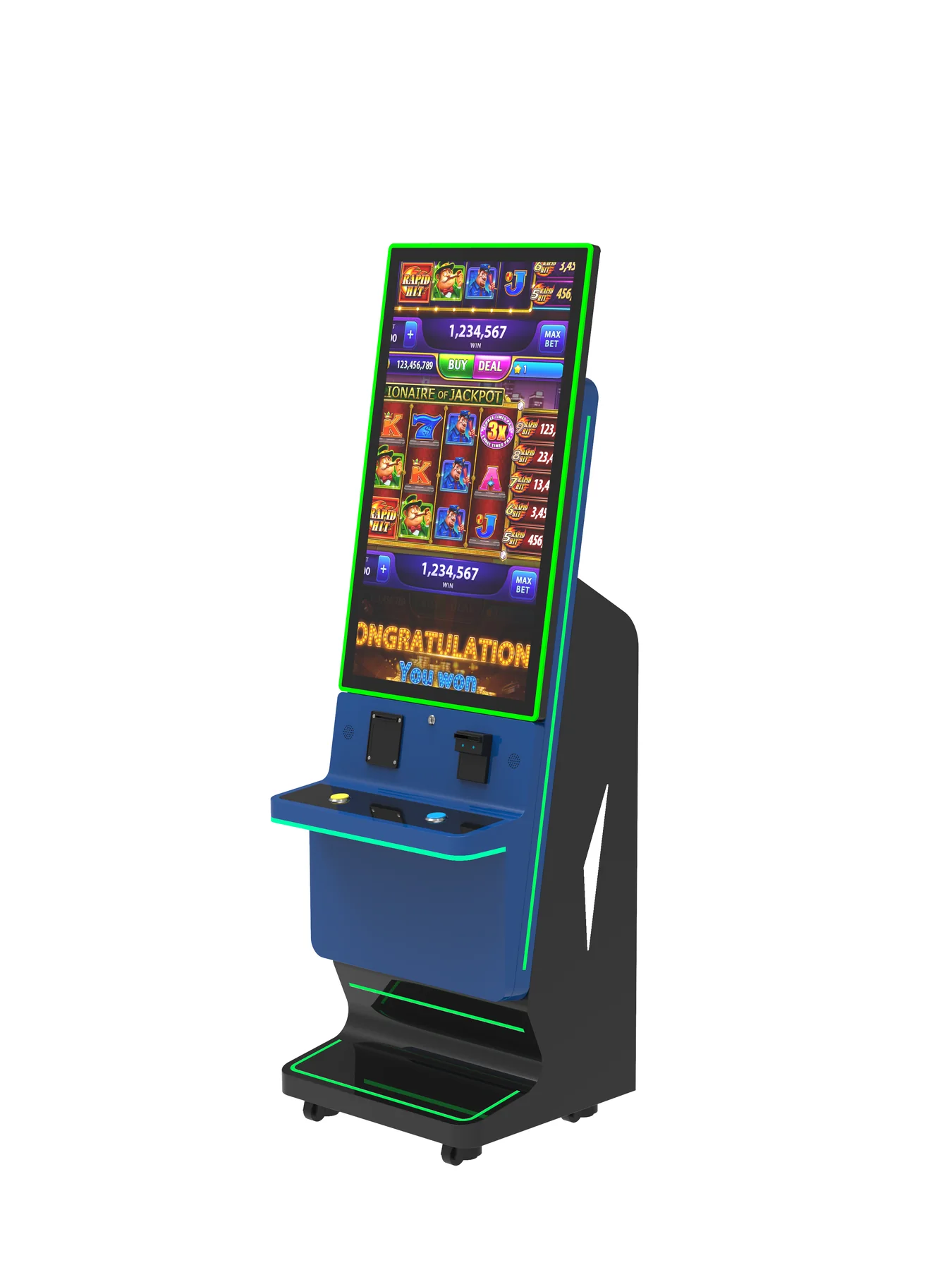
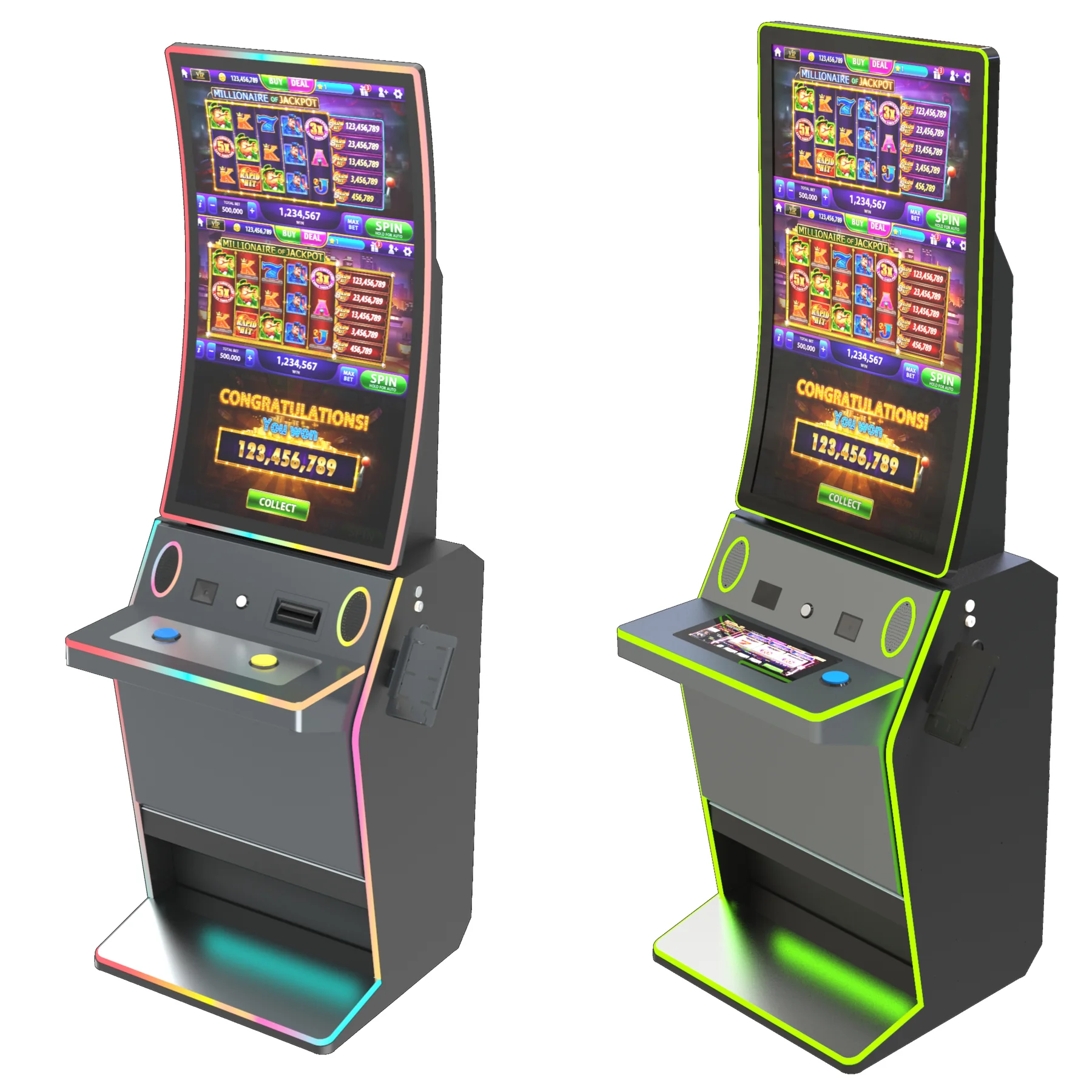
    A 32-inch curved cash handling kiosk is an attractive addition to a casino floor, but the curve is the least important part of the purchase. The real questions are about compliance, ticketing integration, and what the machine will cost you in year three — not year one. Before you commit to a vendor, work through the five checks below across a realistic 12-week evaluation window.

    A 32-inch curved cash handling kiosk is a self-service terminal that accepts cash and dispenses tickets or funds in supervised gaming environments. Its real value is not the curved display but the cash security, compliance, and player-flow impact it brings to a casino floor — so verify the bill validator’s currency support, state gaming compliance, and floor footprint before purchase. The curve affects engagement; the cash module affects your license.

    Why 32-Inch Curved Kiosks Get Speced — and What to Verify in 48 Hours

    Most buying guides for this equipment stop at screen size and resolution. That is precisely why casino deployments fail: the failure points are almost never visual. In the first 48 hours of comparing vendors, you should verify three operational facts — not marketing claims:

    • Cash-type support: ask the vendor to confirm, in writing, which validator and firmware version handles the exact denominations and physical condition of currency your floor handles daily.
    • Regulatory posture: ask for copies of third-party certifications and any state gaming commission approvals or prior installation references — not a promise that “compliance is handled.”
    • Physical fit: the 32-inch curved form factor changes your floor footprint and line-of-sight. Get a dimensional drawing and test it against your actual floor plan and ceiling-height lighting before you pay for a demo unit.

    Generic kiosk checklists won’t surface these gaps, because they are written for retail and hospitality, not regulated gaming. The questions that matter stretch across a 12-week buyer journey, and most vendor quotes start looking different by week 12.

    Week 1: Compliance Questions That Eliminate Rejected Deployments

    Compliance risk is the single largest reason a cash kiosk project stalls after the purchase order is signed. In the first week, ask each vendor for documentation, not assurances:

    • Third-party certification: Ask which safety and security listings apply (for example, UL-listed equipment relevant to cash-handling terminals) and request the actual certificate number and issuing body. Most US states require verifiable third-party certification for equipment handling cash in supervised environments — request it in writing.
    • Audit-ready logging: Confirm the kiosk logs every transaction with timestamps, operator IDs, and cassette events in a format that survives a gaming or AML audit. Ask whether the logs integrate with your existing suspicious-activity reporting workflow or whether exporting is manual.
    • State gaming commission standing: Ask for prior installation references in jurisdictions with active gaming control boards, and be prepared to verify those references directly. If the vendor hesitates, that is an answer.

    The American Gaming Association and your state gaming commission publish guidance on responsible cash handling — use those sources as your baseline, and ask the vendor to map their equipment to that guidance explicitly.

    Week 4: Integration Questions — TITO, Slot Accounting, and the Curved Screen’s Hidden Challenge

    By week four you should be testing integration claims. The most common surprise is middleware: the kiosk may “support” ticket-in/ticket-out (TITO), but only through an extra software layer that adds cost and latency.

    • TITO and slot accounting: Ask whether the kiosk natively speaks the TITO protocol used across your slot floor, and whether it connects to your slot accounting system (common platforms include IGT and Aristocrat) with no custom API work. If custom development is required, get the cost and timeline in writing — this line item routinely doubles integration budgets.
    • Glare on the curve: A curved panel behaves differently under the high-ceiling, multi-angle lighting of a casino floor. Ask for the panel’s brightness specification and antiglare treatment, and test a unit under your actual lighting before you commit to a floor-wide rollout.
    • Player line-of-sight: The curve changes reading angles for players of different heights. Ask the vendor for a viewing-angle diagram, or better, arrange a demo unit on your floor for a week and watch how players approach it.

    For a deeper look at how cash modules and payment hardware should fit together — and the questions to ask before signing — see our payment kiosk hardware and cash integration guide.

    Week 12: Total Cost of Ownership — How to Compare Quotes Without Getting Nicked

    By week 12 you have quotes side by side. The cheapest upfront number is rarely the cheapest machine. Force every vendor to price the full lifecycle:

    • Service and spares: What is the guaranteed response time, and are spare parts stocked in your region? A kiosk that sits dark for three days on a busy floor costs more in lost revenue than a higher upfront price. Get the service-level agreement in writing.
    • Validator reliability: Ask for the bill validator’s modeled service life and mean time between failure in the vendor’s own documentation. Well-known validator brands (JCM and MEI are common industry references) have established service networks — verify the exact model and where that service is performed.
    • The curved panel premium: A curved display costs more to replace than a flat one, and high-traffic zones see accidental damage. Ask for the replacement panel price and whether the warranty covers accidental damage or only manufacturing defects. This single question separates honest quotes from marketing ones.
    • 24/7 operating cost: Casino floors run around the clock. Ask for the kiosk’s power draw and cooling requirements so you can model the added operating expense, not just the purchase price.

    Side-by-Side: The Spec Sheet Every Vendor Should Fill In

    Rather than publish a fixed comparison that will be outdated by your next RFP, use this table as the template you send to every vendor. The column on the left is what you request; the right column explains why it changes your decision.

    Request from each vendor Why it changes the decision
    Validator brand, model, and firmware version for your currency types Determines acceptance rate, service network, and spare-part availability
    Compliance listings and certificate numbers (copies, not summaries) Separates deployable equipment from rejected deployments
    Panel brightness (nits) and antiglare specification Predicts readability under high-ceiling casino lighting
    Replacement cost for the curved panel and warranty scope Reveals the true lifecycle cost of the form factor
    Native TITO/slot-accounting support or required middleware/API work Determines integration budget — the most common hidden cost
    Power draw and cooling requirements Adds to 24/7 operating expense you must model
    Service response time and local spare-parts stock Measures revenue risk when a unit fails

    If a vendor cannot or will not populate these fields in writing, treat that as a disqualifying signal. A curved screen that improves player engagement is only valuable when the cash handling behind it is dependable — and only you can verify that.

    Frequently Asked Questions from Casino Buyers

    Are curved cash kiosks harder to repair than flat ones?

    Generally yes, for one reason: the curved panel is a less standardized part, so replacement cost and lead time tend to be higher than for flat displays. Ask the vendor for the replacement panel price and stock availability before purchase, and confirm whether the warranty covers accidental damage common in high-traffic zones.

    What certifications do US casinos require for a cash handling kiosk?

    Requirements vary by state and are set by the applicable gaming control authority, so there is no single national list. You should request third-party safety and security certification documentation from the vendor, and verify any state gaming commission approvals against prior installations. Treat “fully compliant” as a claim to be documented, not accepted.

    Can a 32-inch curved kiosk integrate with our existing TITO system?

    It depends on whether the kiosk natively speaks the TITO protocol used on your floor or requires a middleware layer. Ask whether connection to your slot accounting system (for example IGT or Aristocrat platforms) needs custom API development, and get the cost and timeline in writing — integration work is a common source of budget overruns.

    What is the average lifespan of a cash handling kiosk?

    Lifespan depends more on the validator and service model than the display. Ask each vendor for the documented service life and mean time between failure of the bill validator, plus their service-level agreement for response time and spare parts. A machine is only as good as the support contract behind it.

    Can a curved kiosk be repurposed for non-cash functions later?

    Sometimes — ask whether the cash module is removable and whether the same chassis can host card-only or loyalty applications down the line. If future flexibility matters to your floor plan, this should be a written specification, not an assumption.

    Next Step: Compare Against a Real Datasheet

    The fastest way to pressure-test any vendor’s claims is to put their spec sheet next to a real product datasheet and look for the gaps. If you are evaluating the 32-inch curved form factor for a regulated gaming floor, start there — and if you are working with us, our team will walk you through the compliance and integration questions above with the actual documentation in hand.

    Request a quote or datasheet for the K320FS-3 curved cash handling kiosk to begin your comparison. For larger projects, our custom kiosk OEM/ODM process explains how a brief moves from specification to production — useful when you need floor-specific modifications rather than an off-the-shelf unit.

  • Custom Kiosk OEM/ODM Process: Brief to Production

    Custom Kiosk OEM/ODM Process: Brief to Production

    See how a custom kiosk OEM/ODM project moves through requirements, engineering, prototype review, verification and production handoff.

    Prepare the project brief

    Share the application, target market, quantity, timeline, preferred appearance, operating system, peripherals and software ownership. Reference images help communicate direction but do not replace engineering requirements.

    Develop the technical definition

    Usingwin engineers review cabinet structure, hardware selection, module placement, interfaces, thermal needs, service access and production feasibility. Initial design material is prepared for customer review.

    Review and prototype

    Customer comments are incorporated before sheet-metal production. The prototype then provides a physical reference for appearance, assembly, peripheral fit and integration testing.

    Verify the approved configuration

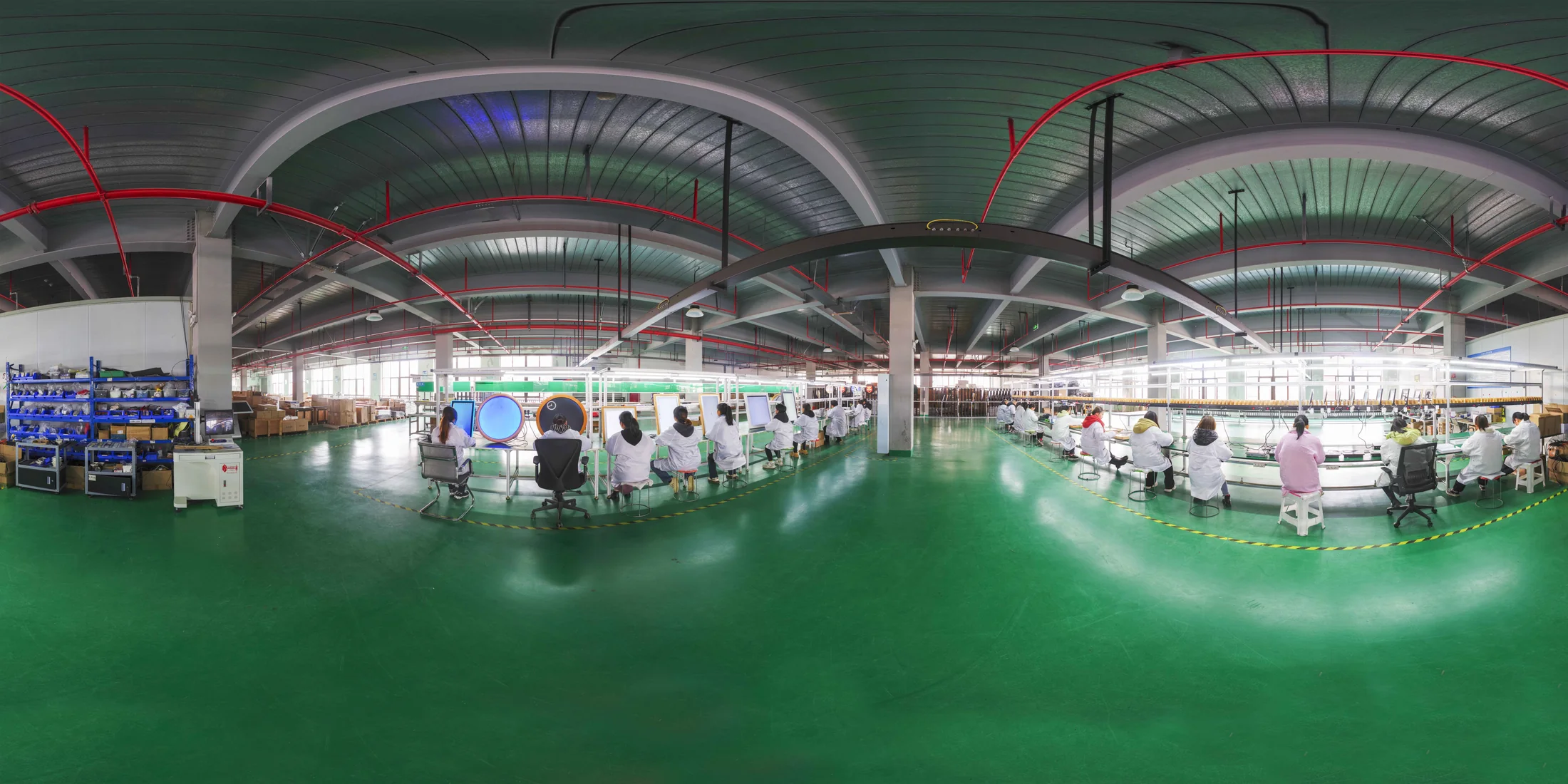
    The quality flow includes incoming inspection, in-line production tests, full-function unit testing, 24-48 hour burn-in, finished-product inspection and a pre-shipment check.

    Move to production

    Custom OEM/ODM orders typically require about 30 days after the design is confirmed. Final lead time and MOQ depend on project complexity, material availability and the approved configuration.

    Buyer specification and acceptance checklist

    An OEM/ODM kiosk project needs documented approval points between requirements, engineering, prototype testing and production. Treat a concept image as a discussion aid, not as an approved manufacturing specification. Keep the mechanical design, bill of materials, application boundaries and acceptance criteria aligned throughout the project.

    Decision What to specify Evidence to request
    Project brief Provide the intended application, installation constraints, peripheral list and target market. Agree which requirements are mandatory and which remain open decisions.
    Design review Review drawings, module placement, service access, interfaces and the proposed bill of materials. Record the approved version and unresolved technical questions.
    Prototype review Use the agreed application and peripherals for workflow and service testing. Record deviations, corrective actions and the buyer’s acceptance decision.
    Production handoff Confirm the approved configuration, inspection criteria, packing and change-control process. Check that production documents match the accepted prototype or approved revisions.

    What should the prototype acceptance test include?

    Create a responsibility table covering enclosure engineering, application software, peripheral procurement, testing and any market-specific approvals. If a module changes after prototype acceptance, review whether the change affects fit, power, thermal behavior, drivers or test results. A change request should identify the affected drawing and bill-of-materials version so that the delivered machines remain traceable to the approved configuration.

    Frequently asked procurement questions

    What should a buyer send before requesting an OEM/ODM quotation?

    Send a workflow description, installation sketch, required peripherals, software responsibilities, target market and expected quantities. Identify any fixed module choices or interface constraints. These inputs allow suppliers to separate standard configuration from custom engineering work.

    When should a custom kiosk move from prototype to production?

    Proceed when the agreed acceptance criteria are satisfied and outstanding changes have an approved disposition. Record the configuration, software assumptions and inspection plan. A visually approved sample alone does not establish that integration, servicing and production documentation are complete.

    Related planning resources

    These are procurement planning checks, not a promise that every model includes every function. Confirm the selected configuration, software scope, compliance evidence and acceptance criteria in the project quotation.

  • Payment Kiosk Hardware and Cash Integration Guide

    Payment Kiosk Hardware and Cash Integration Guide

    Plan a payment kiosk with cash acceptance, change, payout, printing, scanning and secure service access for unattended transactions.

    Define cash-in and cash-out behavior

    Clarify whether the machine only accepts notes, returns change, dispenses cash or recycles notes. Denominations, currencies, transaction limits and exception handling affect module selection.

    Design the secure cash area

    Cash modules require controlled access, stable mounting, routing for power and data, and a practical replenishment process. The enclosure must also allow authorized maintenance.

    Validate the complete software flow

    Applicable Usingwin cash collection and change machines can be supplied with supporting transaction software. Currency, module, business rule and customer-system integration still require project review.

    Test before production

    Prototype testing should cover intended notes or coins, payout logic, printer behavior, network interruption, power recovery and operator access before the production definition is approved.

    Buyer specification and acceptance checklist

    A cash-payment kiosk specification must state what happens to money at every stage of the transaction. Cash acceptance, note storage, payout and recycling are different functions. Select the required cash-flow behavior first, then verify the module combination, enclosure access and software handling that support that behavior.

    Decision What to specify Evidence to request
    Cash behavior Specify accepted currencies, denominations, acceptance, payout and change requirements. Demonstrate each agreed transaction with representative notes or coins.
    Exception recovery Define rejected money, insufficient change, empty payout modules and full storage handling. Verify the displayed message, recorded state and authorized recovery action.
    Reconciliation Specify what transaction and service events the application must record. Compare physical cash counts with the test transaction record.
    Physical service Define authorized access, cassette removal, replenishment and module replacement. Review access clearance and demonstrate service with the intended installation layout.

    What should the prototype acceptance test include?

    Test a network interruption and a power interruption at agreed points in a cash transaction. The acceptance record should distinguish money accepted, money returned, payment confirmed and service delivered. Define who resolves a partially completed transaction and which records support that decision. Do not treat the successful operation of a note validator on its own as proof that the entire payment service is ready.

    Frequently asked procurement questions

    Is a note acceptor the same as a cash recycler?

    No. A note acceptor validates incoming notes; a complete system may store them without making them available for payout. A recycler combines acceptance with managed reuse of supported notes. Confirm the function of the exact modules and configuration in the quotation.

    Can cash-handling software be assumed to work with an existing business system?

    No. Specify the transaction interface, module drivers, supported platform and responsibility for reconciliation and exception handling. Confirm any supporting software included by the supplier, as well as integration and maintenance work retained by the buyer or system integrator.

    Related planning resources

    These are procurement planning checks, not a promise that every model includes every function. Confirm the selected configuration, software scope, compliance evidence and acceptance criteria in the project quotation.

  • Hotel Self Check-In Kiosk Requirements

    Hotel Self Check-In Kiosk Requirements

    A hotel self check-in kiosk guide covering passport scanning, room-card dispensing, payment, printing, software integration and cabinet planning.

    Document the guest journey

    List reservation lookup, identity verification, payment, registration, room assignment, card encoding and receipt steps. Note where staff approval or exception handling is required.

    Confirm identity and room-card modules

    Passport scanners and room-card dispensers vary in size, interface and software support. Select the exact models before the cabinet is released for production.

    Define the property-system boundary

    The kiosk hardware must connect with the customer's hotel application and property management workflow. Confirm operating system, SDK or API needs, network policy and application ownership during technical review.

    Design for continuous guest access

    Consider nighttime use, privacy, accessibility, paper and card replenishment, remote support and safe maintenance access. These operating details influence the final enclosure.

    Buyer specification and acceptance checklist

    Hotel self-check-in is a coordinated workflow across reservations, guest verification, payment and room access. Define which decisions the kiosk can complete and which require reception staff. The hardware specification should follow the approved guest journey and the interfaces made available by the property-management and door-lock providers.

    Decision What to specify Evidence to request
    Reservation Identify the property-management system, version and reservation lookup method. Find a valid booking and handle an unmatched reservation without exposing other guests’ records.
    Room access Identify the lock system, card type, encoder and dispensing responsibilities. Test the issued card at the intended door system and verify the room assignment.
    Exceptions Document early arrival, unavailable rooms, failed payment and card-dispensing errors. Route each exception to reception with enough information to resume service.
    Session privacy Define what guest data may appear on-screen and who owns retention and access decisions. Verify that the next guest cannot view the previous session after completion or timeout.

    What should the prototype acceptance test include?

    An acceptance test should include a complete check-in using the intended PMS and lock-system integration. Repeat the journey with an unavailable room, an interrupted connection and an unsuccessful card issue. Agree how reception completes the transaction manually and how the application prevents a second unintended charge or key issue. Review deployment-specific privacy and identity requirements with the hotel’s responsible advisers.

    Frequently asked procurement questions

    Can a hotel check-in kiosk replace every reception task?

    That depends on the service model and application scope. Define staffed escalation for exceptions, accessibility needs and guest assistance. A procurement plan should describe the fallback service rather than assuming every reservation can be processed unattended.

    Does the hotel kiosk support every PMS and door-lock brand?

    Do not assume universal compatibility. Obtain confirmation for the specific software version, interface access, card format and encoder. Request a working integration test before production approval and document who supports changes made by the hotel-system vendors.

    Related planning resources

    These are procurement planning checks, not a promise that every model includes every function. Confirm the selected configuration, software scope, compliance evidence and acceptance criteria in the project quotation.

  • Self-Checkout Kiosk Hardware for Retail Projects

    Self-Checkout Kiosk Hardware for Retail Projects

    Understand the cabinet, scanner, printer, payment and service-access decisions behind a retail self-checkout kiosk project.

    Define the retail transaction

    A self-checkout kiosk may need product scanning, membership identification, payment, receipt printing and exception handling. Define the complete sequence before deciding where each module belongs.

    Plan for traffic and service access

    Cabinet footprint, queue position, screen angle and maintenance doors affect daily operation. Staff should be able to replace paper, inspect connections and service modules without disrupting nearby lanes.

    Separate POS software from kiosk hardware

    Retail POS and inventory applications are separate from the physical kiosk. Usingwin can prepare compatible computing and peripheral interfaces, while the customer or integrator connects the retail application.

    Prototype the complete peripheral set

    A prototype should use the intended scanner, printer, payment device and customer application. Physical fit alone is not enough; drivers, ports and transaction behavior also require validation.

    Buyer specification and acceptance checklist

    Retail self-checkout procurement should describe both the normal basket journey and the situations requiring staff intervention. Product scanning, price lookup, payment and receipt delivery are separate integration points. Confirm how the system handles unreadable barcodes, canceled items and payment failure before committing to the enclosure layout.

    Decision What to specify Evidence to request
    Scanning Provide representative packaging and barcode conditions from the intended store. Scan the sample basket in the installed orientation, not only on a laboratory bench.
    Basket and price Define product lookup, promotions and item-removal responsibilities in the retail application. Compare the final basket and amount with the store system.
    Assistance Specify which exceptions require staff and how an attendant is notified. Recover a blocked transaction without losing the customer basket.
    Serviceability Review printer access, scanner replacement, payment-terminal access and cable management. Show that routine service can be completed within the available installation space.

    What should the prototype acceptance test include?

    Prepare an acceptance sheet covering a complete sale, an abandoned basket, an unreadable code and a network interruption. Check that retries do not produce duplicate charges or inconsistent stock records. If the project uses weighing or other verification hardware, identify the exact module and application logic rather than treating those functions as inherent in every self-checkout cabinet.

    Frequently asked procurement questions

    Does a self-checkout cabinet include loss-prevention software?

    Only when that software is explicitly included in the agreed scope. Separate enclosure and peripheral supply from store-system integration, attendant workflows and any additional verification software. Document the responsibilities of the hardware supplier and retail-system provider.

    How should a distributor compare supplier quotations?

    Issue the same bill of materials and integration assumptions to each supplier. Compare included peripherals, operating-system requirements, sample testing, packing, spare parts and service responsibilities. An apparently similar cabinet can represent a materially different delivered configuration.

    Related planning resources

    These are procurement planning checks, not a promise that every model includes every function. Confirm the selected configuration, software scope, compliance evidence and acceptance criteria in the project quotation.

  • Self-Ordering Kiosk Hardware Checklist for Restaurants

    Self-Ordering Kiosk Hardware Checklist for Restaurants

    Plan self-ordering kiosk hardware for restaurants, cafeterias and quick-service environments with a clear peripheral and installation checklist.

    Map the ordering journey

    Define menu browsing, item customization, payment, receipt printing and order collection. The hardware layout should support this sequence without forcing the user to change position or reach awkwardly.

    Choose the installation format

    Desktop kiosks suit counters with limited floor area. Floor-standing kiosks increase visibility and can hold more peripherals. Confirm customer height range, accessibility, cleaning and front-of-house traffic.

    Specify restaurant peripherals

    Common modules include a receipt printer, QR or barcode scanner, NFC reader, payment terminal bracket, camera and audio. Module support must be verified against the selected model and operating system.

    Keep software and hardware responsibilities clear

    Usingwin focuses on kiosk hardware, enclosure engineering and integration support. Restaurant ordering applications, menu management and payment processing are normally supplied by the customer or its software partner.

    Buyer specification and acceptance checklist

    A restaurant ordering kiosk must connect a customer order to the restaurant service process. Define how menu changes, unavailable items, modifiers, payment status and kitchen acceptance are handled. A touchscreen demonstration alone does not confirm that the POS, payment terminal and kitchen workflow will operate together.

    Decision What to specify Evidence to request
    Ordering Provide the menu structure, modifiers, languages and item-availability rules. Test an unavailable item and a changed order before payment.
    Payment Name the payment provider, terminal model and integration owner. Test declined payment, cancellation and recovery without creating duplicate orders.
    Kitchen handoff Describe when the order reaches the POS or kitchen display and how staff identify it. Verify that one paid order produces the expected kitchen record and pickup reference.
    Service access Specify receipt replenishment, cleaning access, cable routing and counter or floor mounting. Have restaurant staff perform the routine service steps on the sample.

    What should the prototype acceptance test include?

    Run the pilot with representative menu items, including the longest modifier sequence and a deliberately unavailable product. Check whether the payment state and kitchen state remain consistent if the network is interrupted. Define the customer message and staff recovery procedure instead of allowing the application to show a generic error screen.

    Frequently asked procurement questions

    Is a receipt printer mandatory for a self-ordering kiosk?

    Not for every workflow. A restaurant may use printed receipts, on-screen pickup references or another agreed confirmation method. Decide how the customer proves payment and identifies the order, and how staff handle a missing receipt before selecting the printer configuration.

    Can the same ordering kiosk work with any restaurant POS?

    Compatibility must be confirmed for the actual POS version, interfaces and application. Ask who maintains the integration and who tests it after updates. A cabinet that can physically hold a payment terminal does not prove end-to-end POS compatibility.

    Related planning resources

    These are procurement planning checks, not a promise that every model includes every function. Confirm the selected configuration, software scope, compliance evidence and acceptance criteria in the project quotation.